PC Store Together Launch Patch Notes Summary
Steam launch-week archive: thank you, hotfixes, performance passes — no invented patch IDs.
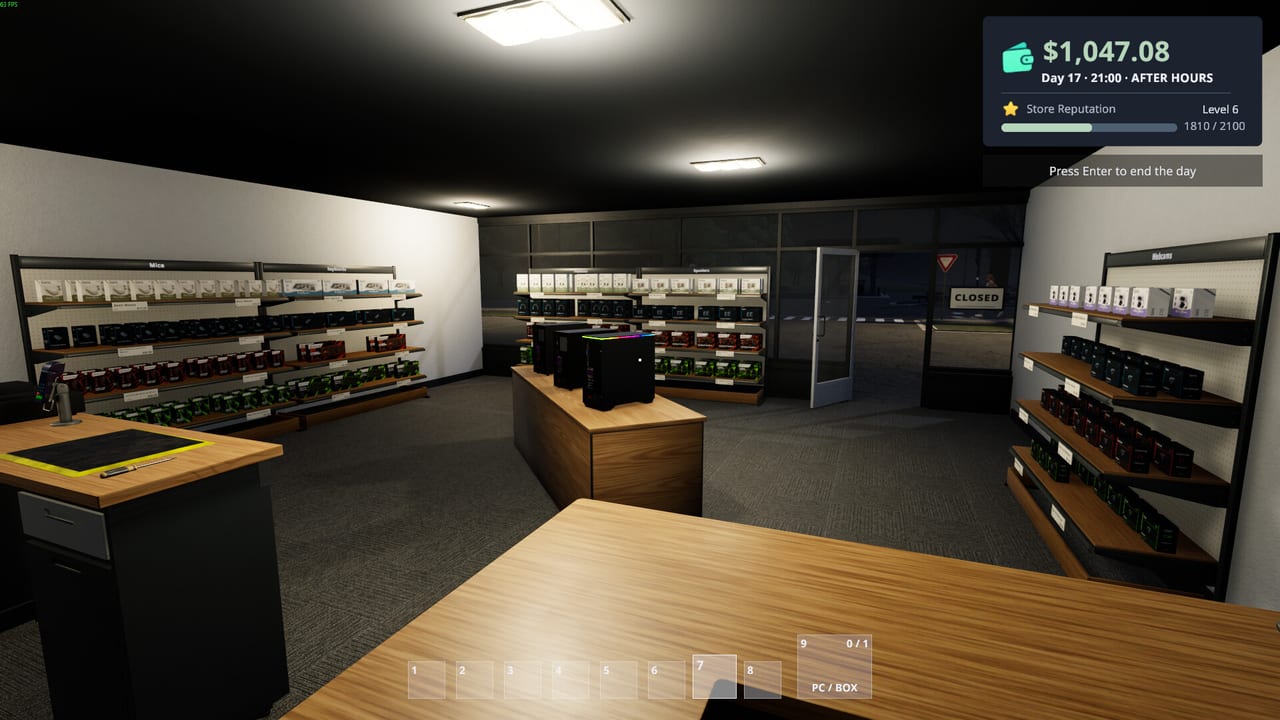
This page summarizes official Steam news for PC Store Together around launch. Developers Sykes Games & Nightmare Studios posted quickly as players flooded the shop sim. We do not invent numeric patch IDs; titles below match public Steam posts. Always verify the latest text on the Steam news hub and the Discord listed on Links.
For the deep dive on texture memory, stutter fixes, and -force-d3d11, open the dedicated Performance Update page. Gameplay primers remain on Wiki, Getting Started, and Updates Hub.
Release baseline — 24 November 2026
PC Store Together launched on Steam for Windows (app 4990940). Regular price $12.99 with an introductory -15% offer through 1 December 2026. Launch features: hands-on part assembly, repairs, stocking, pricing, customer service, store expansion, component tier unlocks, and online co-op 1–4 (solo supported). See Players, How to Play Co-op, and Co-op Roles.
Same-day messaging covered doors-open timing (17:00 CET / 8 AM PT class announcements). If you bought mid-stream, restart Steam so you are not on a stale build.
Thank You! 1,000+ Players and Top 100 on Steam
Type: News / thank-you
Posted: Tuesday, 24 November 2026
The studio thanked players for an unbelievable launch day: PC Store Together passed 1,000 players at the same time and landed among the top 100 best-selling games on Steam. They emphasized listening across Discord, reviews, and forums, and noted a first update was already live with more on the way. Signed Liam & Patrick — Sykes Games & Nightmare Studios.
Wiki takeaway: expect rapid iteration. Keep Build Checklist habits; report bugs via Discord on Links.
Hotfix Update — First Community Bug Fixes
Type: Regular / hotfix
Posted: Tuesday, 24 November 2026 (launch day)
Highlights from the official body:
- RAM and drive repairs no longer get stuck on the load test when the replacement sits in a different slot from the broken part.
- Additional early launch friction fixes based on Discord and Steam forum reports.
Crew tip: after downloading, smoke-test multiplayer join, one full build post, one repair path, and a register sale before inviting the full squad. Use How to Play Co-op for the join checklist.
Hotfix Update — Second Community Bug Fixes
Type: Small Update / Patch Notes
Posted: Tuesday, 24 November 2026
Key multiplayer and workshop changes from the Steam post:
- Game version now shows top-right on the main menu and in the Esc menu.
- Joining a different version now tells who needs to update instead of failing silently.
- Players no longer spawn where the delivery truck drives.
- Any player can end the day, not just the host.
- PC jobs finish correctly when customer parts return to a different slot of the same kind.
- Fault repairs complete when parts end up swapped between sockets.
- Job cards clarify when to refit the customer’s original part.
- “Order missing parts” in Mail orders every needed part; shelf/carton stock no longer falsely counts as owned.
- Fully stripped cases can return to workshop storage for Swap case.
- Selling from workshop storage asks for confirmation and warns if an active PC job may need the part.
- Empty stock-rack bays can be aimed at for storage.
- Custom PC buyers come about three times as often while a priced PC is on display; built PCs valued with new parts at 65% of price (already-priced displays keep their tag).
- New workbenches spawn in free spots instead of inside furniture.
- Stock assistant clears empty cartons; step ladder removed from rear workshop.
- Graphics quality changes apply once on Apply / leave settings (no freeze per click).
If a leftover bug blocks progress, document solo vs co-op and the bench action before blaming hardware tier stock.
Major Optimization — Performance Update
Type: Regular Update
Posted: Wednesday, 25 November 2026
Headline memory and stutter pass. Texture load dropped from about 12.3 GB to 4.7 GB; GPUs under 7 GB VRAM auto half-size textures (quarter under 3 GB); carton/customer/pay/autosave hitches reduced; first-launch graphics preset picks Low/Medium/High for your GPU. Stubborn first-seen hitch tip: Steam launch option -force-d3d11.
Full breakdown: Performance Update.
Major Optimization Fixes
Type: Regular Update (follow-up optimisation + QoL)
Posted: shortly after the Performance Update
Studio focus: performance, stability, quality-of-life, and general bug fixes.
Performance and optimisation
- Severe lag/freezing when opening workshop storage with huge component piles — fixed.
- Over 40% less CPU workload on a large shop floor in internal testing.
- Better frame-time consistency; less stutter when customers arrive, cartons land, or autosave runs.
- Fewer shadows around fully stocked shelves; about 14% less texture data in memory.
- Unused shop-computer apps no longer tax performance; lower GPU cost especially on the shop PC.
- Slightly darker, more natural indoor lighting; optimised shadow distances on Medium/High.
Multiplayer
- Fixed Unable to connect when hosting or joining with Automatic region selection (multiple regions, not only UK). Critical for How to Play Co-op crews.
Workshop and PC jobs
- Purchased workbenches keep position after save/reload; busy-workshop save load fixes.
- No more invisible PC when retrieving a computer while moving its workbench.
- Tech Support counter cannot move during customer deliver/collect.
- Side panels and screws can reinstall while a PC is running; removing the panel still needs power off.
- Clearer three-beep / multi-RAM diagnostic notes.
- GPUs required before a PC can be sold; used parts no longer overvalue vs new; player builds labelled Custom PC.
Shop, display, QoL
- Single-player pause over two minutes no longer makes customers leave.
- Custom Computers display supports all case sizes.
- Delivery carton labels show purchased pack quantity (for example 4/12), not max capacity.
- Basket leftovers restore to the floor on reload when space allows; stock assistant stuck on unreachable shelves fixed.
- Exclusive Fullscreen removed — Borderless or Windowed only (auto-migrate).
- Clearer feedback on end-of-day, door sign, Tech Support, occupied benches; better controller nav in baskets and carts (B closes); grammar and untranslated-string fixes.
Wiki takeaway: retest dual-bench nights and Automatic region hosts. Recheck Pricing Tips if builds-per-hour jumped. Details and checklist: Performance Update.
What we are not listing
- Fake version strings like “1.0.3b” when Steam shows narrative titles.
- Player-rumor fixes without a studio post.
- Redeemable promo codes — none public; see Codes for Steam discount guidance.
Recommended verification loop after any update
- Update via Steam.
- Skim the newest Steam news post.
- Run a known-good recipe with How to Build PCs + Build Checklist.
- Complete one repair from How to Repair.
- Confirm co-op join via How to Play Co-op and roles on Co-op Roles.
- Check shelves against unlocked Hardware Tiers.
- If hitching persists, try
-force-d3d11per Performance Update.
Related reading
Treat Steam news as the source of truth; this page is the navigable launch-week archive for the wiki.
Frequently Asked Questions
Quick answers for shop owners and co-op crews.
What was the biggest launch-week technical update?
The Major Optimization — Performance Update on 25 November 2026, followed by Major Optimization Fixes covering CPU load, multiplayer region connect, workshop saves, and shop QoL.
Did the game really hit 1,000 CCU at launch?
The studio thank-you post stated PC Store Together passed 1,000 simultaneous players and reached the top 100 Steam best-sellers on launch day.
Where do I read the full official text?
Use the Steam news hub for app 4990940. This wiki summarizes titles and key bullets without inventing patch IDs.
Are there redeem codes in these patches?
No public redeemable promo codes were documented. Check the Codes page for Steam introductory pricing and sale-watching tips.
Where is the deep performance guide?
Open the Performance Update child page for texture memory numbers, stutter fixes, graphics presets, and the -force-d3d11 tip.