Getting Started with PC Store Together
Open the doors, survive day one, and set habits that scale into co-op.
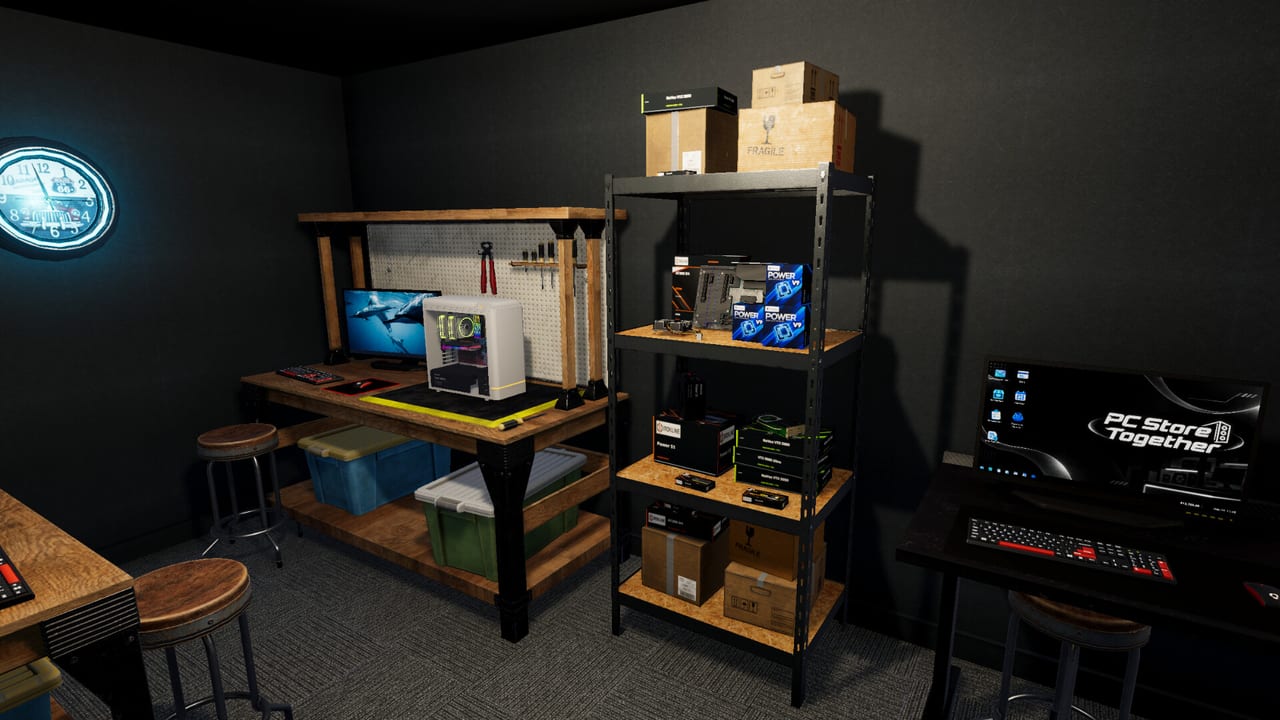
PC Store Together is a Windows-only Steam shop sim (app 4990940) from Sykes Games and Nightmare Studios. It released November 24, 2026 with Very Positive reviews, full 1–4 player online co-op from the first minute, and a solid solo mode if you prefer the quiet shift. Regular price is $12.99; the launch −15% intro offer ends December 1, 2026 (~$11.04).
This guide is your day-one checklist: what to do before the first customer, how to spend early cash, which habits stop boot fails, and where to go next on the wiki. Cross-check How to Build PCs, How to Repair, and Store Management once the basics feel familiar. Patch notes live under Updates.
Before you open
Confirm you meet at least the minimum specs so co-op hosts do not stutter under a busy floor:
- Windows 10 64-bit
- Intel Core i5 2.5 GHz (or equivalent)
- 8 GB RAM
- GTX 1060 / RX 6600 XT
- DirectX 11
- 2 GB storage
Host on stronger hardware when three friends join. Join the official Discord (discord.gg/PmEpG7cM58) if you want live tips; outbound destinations also sit on Links.
The core loop in one paragraph
You build PCs part by part, diagnose and repair customer machines, stock shelves, set prices, serve customers, expand the store, and unlock component tiers through reputation. Everything else is timing and discipline. Early money should buy workbench capacity and stock, not decoration. Diagnose before you replace. Benchmark before you sell. Those rules keep the first evening profitable.
First-hour priorities
- Learn the floor layout — counter, shelves, workbenches, and where finished towers wait for pickup.
- Stock a lean starter shelf — common CPUs, coolers, RAM kits, boards, storage, PSUs, and a couple of GPUs that match your unlocked tier.
- Claim a workbench and practice one clean build using the order below.
- Serve the first walk-ins without panic-buying vanity props.
- Park spare cash into another bench or shelf space the moment queues appear.
If you play co-op, assign roles immediately: one person owns the counter, one owns builds, one owns repairs, and the fourth restocks. Solo players rotate in that same order—never leave a powered-off half-build while shelves sit empty.
Memorize the build order now
Even on day one, use the same install sequence every time:
CPU → cooler → RAM → motherboard → GPU/storage → PSU → close panel → power on.
Most failed boots come from three mistakes: wrong socket, wrong RAM slots, or insufficient wattage. If the tower will not POST, check those three before ripping out half the case. The deep dive lives in How to Build PCs; treat this section as the emergency card in your pocket.
Customers, repairs, and reputation
Walk-in customers want working machines, fair prices, and honest turnaround. When someone drops a broken PC on the counter, diagnose first. Guess-swapping parts burns inventory and reputation. A clean diagnosis often costs less than a full rebuild and teaches you which SKUs deserve shelf space. Full repair workflow: How to Repair.
Reputation unlocks higher component tiers. That means your early ethical service is not flavor text—it is the gate to better margins. Rushing junk builds for a quick buck slows the unlock curve and leaves you stuck selling last-gen kits while competitors (or your own co-op mates) move up.
Money rules for the opening days
- Workbenches before wallpaper. Throughput beats cosmetics until queues are gone.
- Stock depth over vanity SKUs. One reliable mid-tier stack sells more than a lonely halo part.
- Price for turn rate. Sitting inventory is dead cash; slight undercuts that clear shelves fund the next unlock.
- Benchmark finished builds before they leave the bench so returns do not erase the sale.
Shelf layout, pricing psychology, and expansion timing get their own treatment in Store Management.
Solo vs 1–4 co-op on day one
Solo: Keep a short task queue. Finish the current build or repair before restocking unless shelves are literally empty. Use quieter minutes to pre-stage the next common build.
Co-op: Voice call helps. Call out socket families and PSU wattage out loud so two people do not invent conflicting standards. The host should watch performance after the launch hotfixes and performance update from November 24–25, 2026—see Updates if anything feels off after a patch.
What “good” looks like after the first session
By the end of your first solid session you should be able to:
- Build one clean tower without a boot fail
- Diagnose a simple customer fault before swapping parts
- Restock the SKUs that actually sold
- Point to where the next workbench or shelf unlock goes
- Tell teammates (or your future self) the install order from memory
If any of those fail, revisit the matching guide instead of grinding more chaotic shifts.
Next guides
- How to Build PCs — install order, sockets, RAM, wattage, boot fails
- How to Repair — diagnose-first workflow and profitable jobs
- Store Management — stock, prices, expansion, reputation tiers
- Tier List — what to unlock and stock once reputation opens doors
- Guides Hub — full map of tutorials on this wiki
Launch context, system requirements, and Discord belong in your mental sticky notes; the rest is reps at the bench. Open the shop, keep the first builds honest, and let reputation—not decoration—decide your upgrade path.
Frequently Asked Questions
Quick answers for shop owners and co-op crews.
Is PC Store Together playable solo?
Yes. Full online co-op supports 1–4 players from minute one, and singleplayer is fully supported if you want to run the shop alone.
What should I buy first with early money?
Prioritize workbenches and stock depth over decoration. Throughput and shelf coverage pay for expansions; cosmetics can wait until queues are under control.
Why will my newly built PC not boot?
Check socket compatibility, RAM slot placement, and PSU wattage first. Those three causes cover most day-one boot failures before you tear the whole build apart.
Should I repair customer PCs or rebuild them?
Diagnose before you replace. Many jobs need a targeted fix, not a full rebuild. Repairing correctly protects margins and reputation; see the How to Repair guide for the full flow.
Where can I find patches and community help?
Track hotfixes on the Updates hub. Launch fixes and a performance update shipped around November 24–25, 2026. Community chat lives on Discord at discord.gg/PmEpG7cM58.